Distribution & Logistics
Ship faster when your tools share context.
Outpost keeps your web tools, AI assistants and code environment in a single window, with context that travels with you from project to project.
The challenge
Dozens of tools, zero shared context.
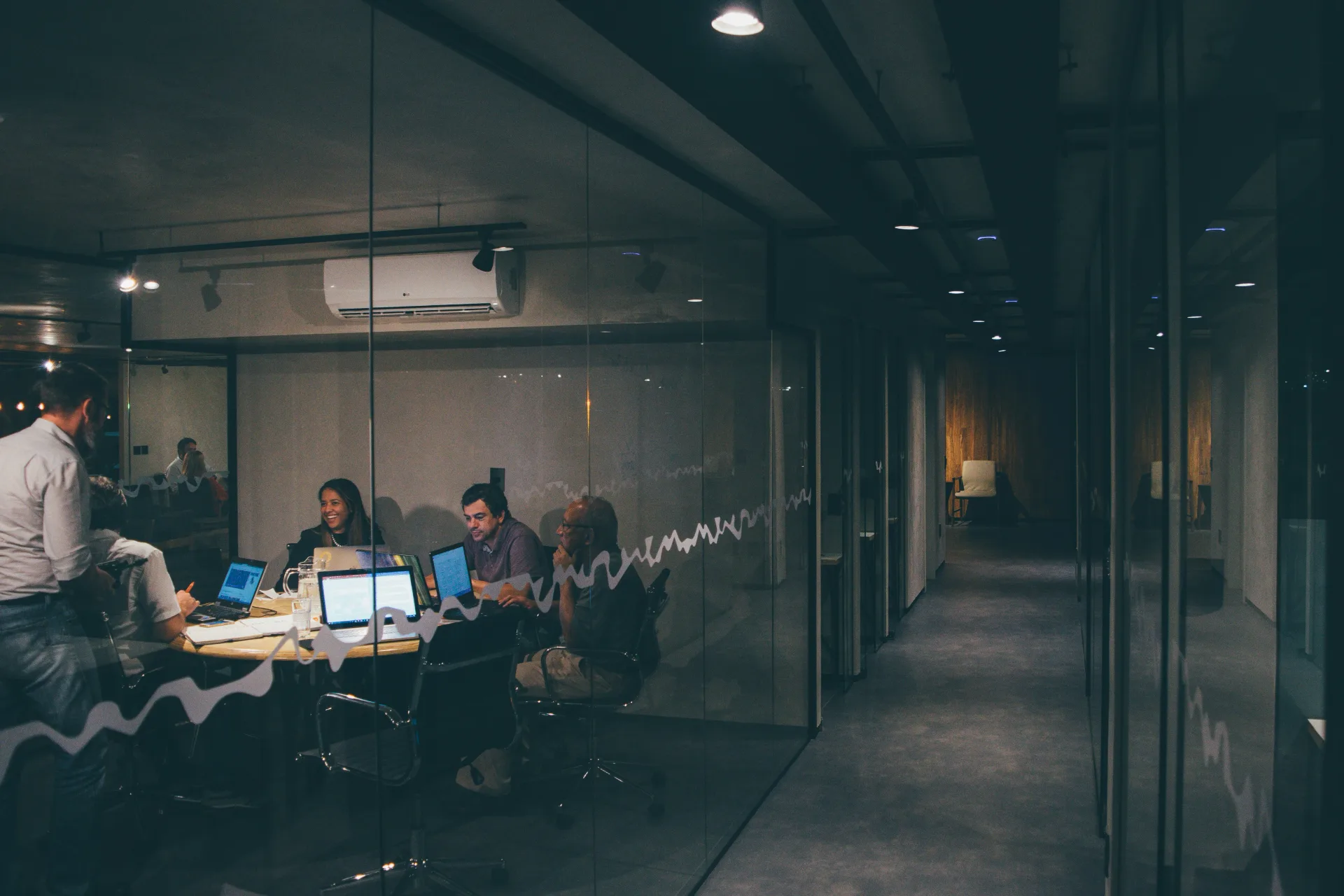
Software and digital product delivery teams work in a deliberately rich but fragmented ecosystem. Every tool lives in its own tab or application. Every client project means tracking down the right Jira spaces, GitHub repositories and Figma files. Every context switch costs sessions, threads and focus.
Generic AI assistants don’t fix this. They can’t see the open page or the active mandate, so you still have to export text, attach screenshots and re-explain the work with every new question. Add the daily sprawl of calendar, timesheets and training alongside the technical complexity of unifying web authentication, the terminal, Claude Code and MCP servers within a single project frame, and the result is significant friction, little continuity and AI disconnected from the actual work on screen.
The solution
A macOS command post, powered by Forra.
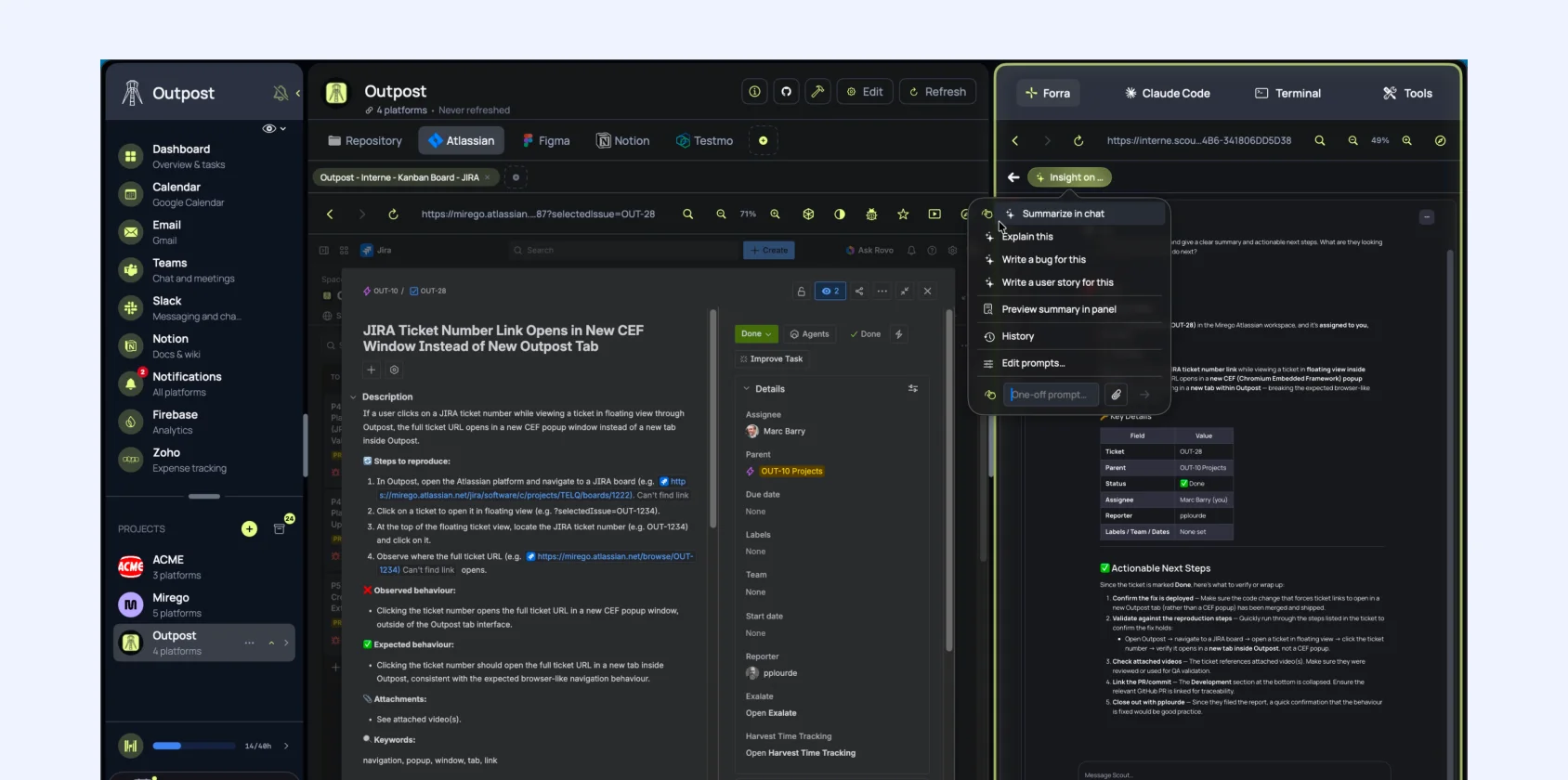
Outpost is built on the Forra SDK, a direct proof that the platform can power production-grade applications beyond chat. It is a three-panel macOS workspace: projects on the left, web platforms or git repository in the center, assistants on the right. Each project groups its persistent tabs, integrations and Forra conversation. Page Insight reads the center view and surfaces structured actions (summarize, explain, write a bug, propose a user story) along with custom prompts, without leaving the flow.
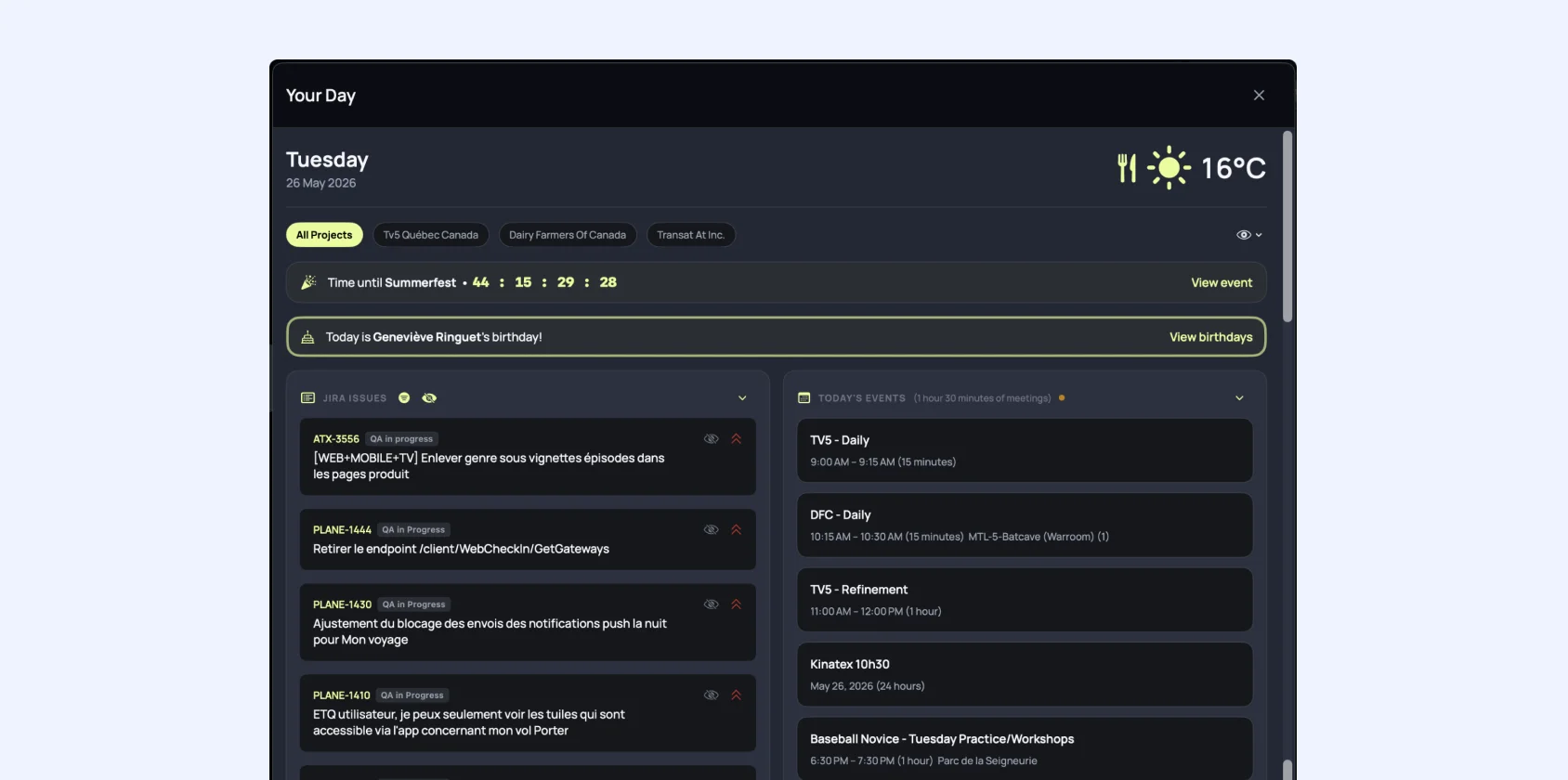
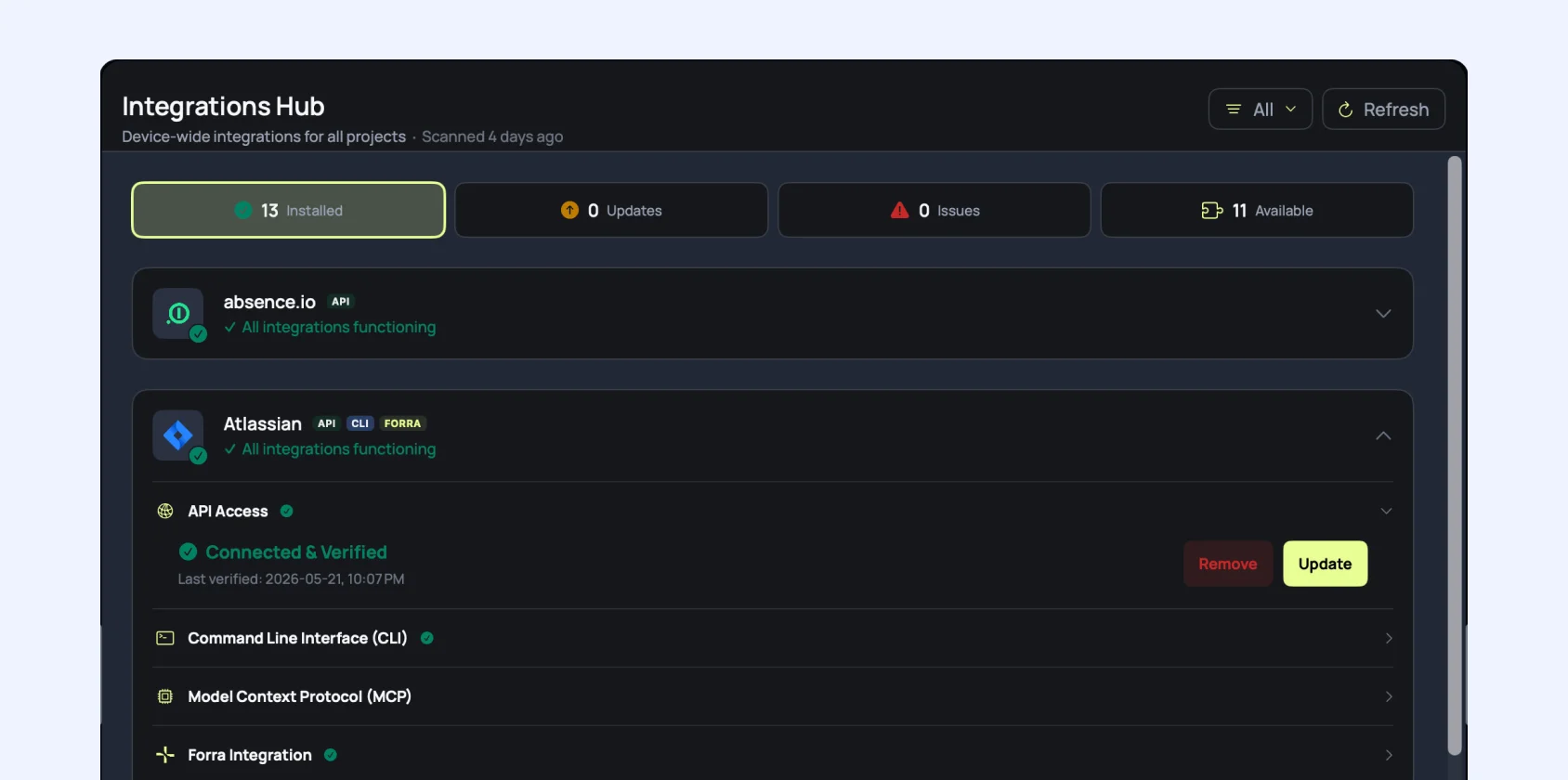
Forra handles streaming, models, custom assistants and services connected via Scout. An Integrations hub installs the CLIs and MCPs your team needs. Claude Code accesses the same platform APIs through the Scout MCP bridge. Complementary panels cover Your Day, cross-tool discovery and a git browser with history and diffs, so you stay in one place for code, tracking and morning tasks.
The outcomes
What changes when context is always there.
- One window for web platforms, AI assistant, terminal and code. Less tab-switching.
- AI anchored to the screen via Page Insight: summaries, bugs and user stories without copy-pasting.
- Shared integrations between Forra chat and Claude Code (Jira, GitHub, Harvest, Slack, Notion, Figma).
- Reusable assistants: custom Page Insight prompts and Forra assistants for QA, PM and design.
- Stable web sessions per project and guided onboarding to connect a new mandate faster.
- Your Day: calendar, timesheet reminders and notifications in the same place as client tools.


Your knowledge base isn’t the problem.
How it is searched or used, is.
Purpose-built AI agents replace a generic assistant, achieving 87.5% accuracy on a validated benchmark versus 12% for Microsoft Copilot.

The power of experience: capturing 30 years of knowledge.
AI transcribes expert interviews, identifies speakers, and turns institutional knowledge into a searchable resource for your entire team.
The answer existed. It was buried in 15 hours of searching.
AI research agent searches four scientific libraries simultaneously and delivers a complete, sourced report in minutes instead of hours.